
-
AeroGCS Enterprise User Manual
10. Reports
The Reports module in AeroGCS Enterprise provides a consolidated, time-based view of drone operations across the organisation. It enables users to analyse operational activity, monitor usage trends, and export reports for audits, compliance, and performance evaluation.
This module replaces the earlier Weekly Reports feature and supports reporting across multiple time ranges using a unified interface.
10.1 Introduction to the Reports Module
The Reports module aggregates operational data generated by drones and pilots over selected time periods. Reports are presented as summary cards, providing a high-level overview of activity rather than detailed flight telemetry.
Using this module, users can:
- View reports by day, week, month, year, or custom duration
- Filter reports by pilot and drone
- Isolate reports for maintenance drones
- Download reports in CSV or PDF format
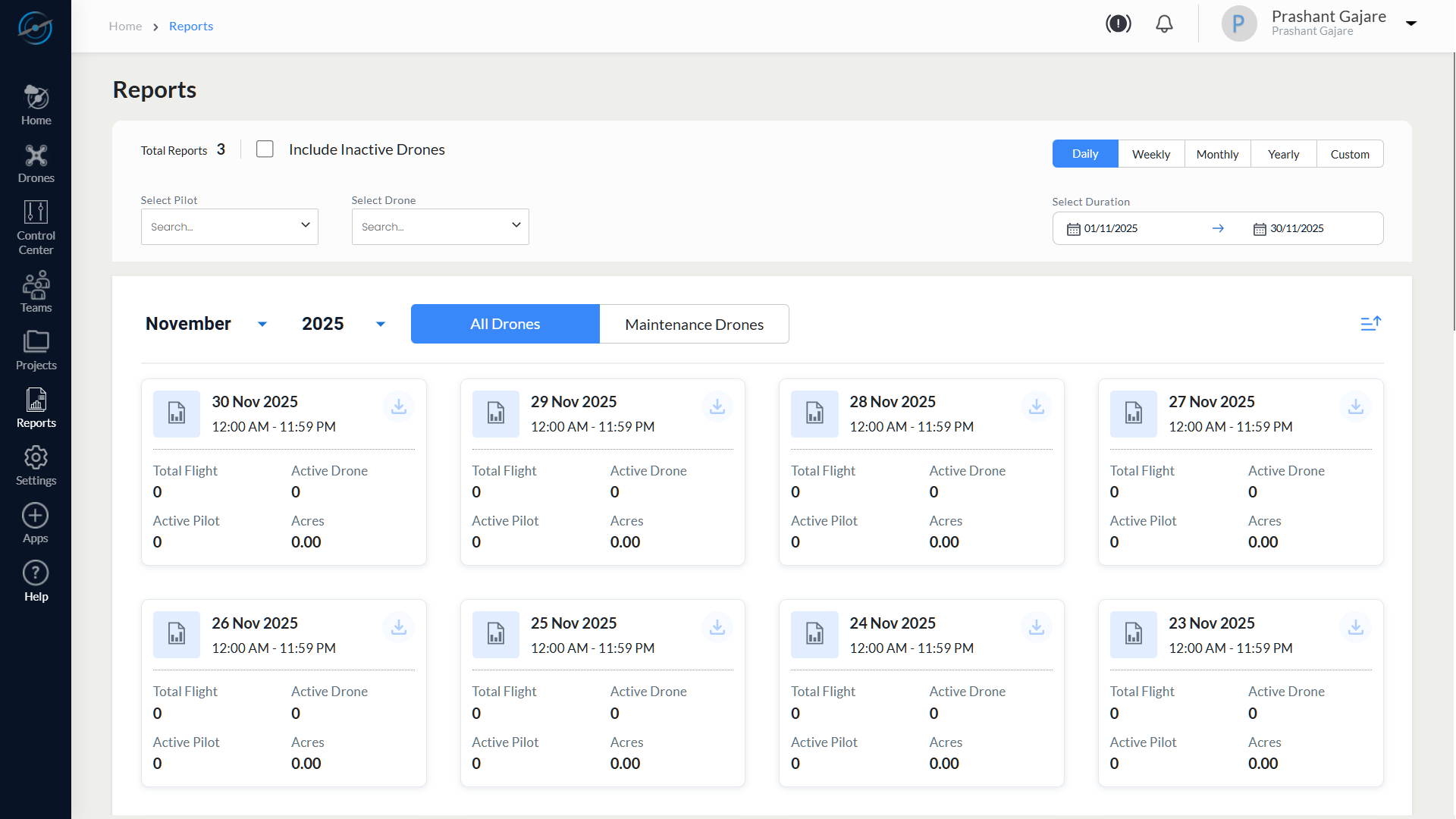
10.3.1 Top Control Panel
The top control panel provides global filters and configuration options.
| Control | Description |
| Total Reports | Displays the total number of report cards generated for the selected duration |
| Include Inactive Drones | Includes drones that are inactive or unregistered in report calculations. Drones currently marked as In Maintenance are excluded and are available under the Maintenance Drones tab |
| Select Pilot | Filters report data based on the selected pilot |
| Select Drone | Filters report data based on the selected drone |
| Duration Selector | Allows selection of predefined or custom reporting periods |
| View Type | Select Daily, Weekly, Monthly, Yearly, or Custom report views |
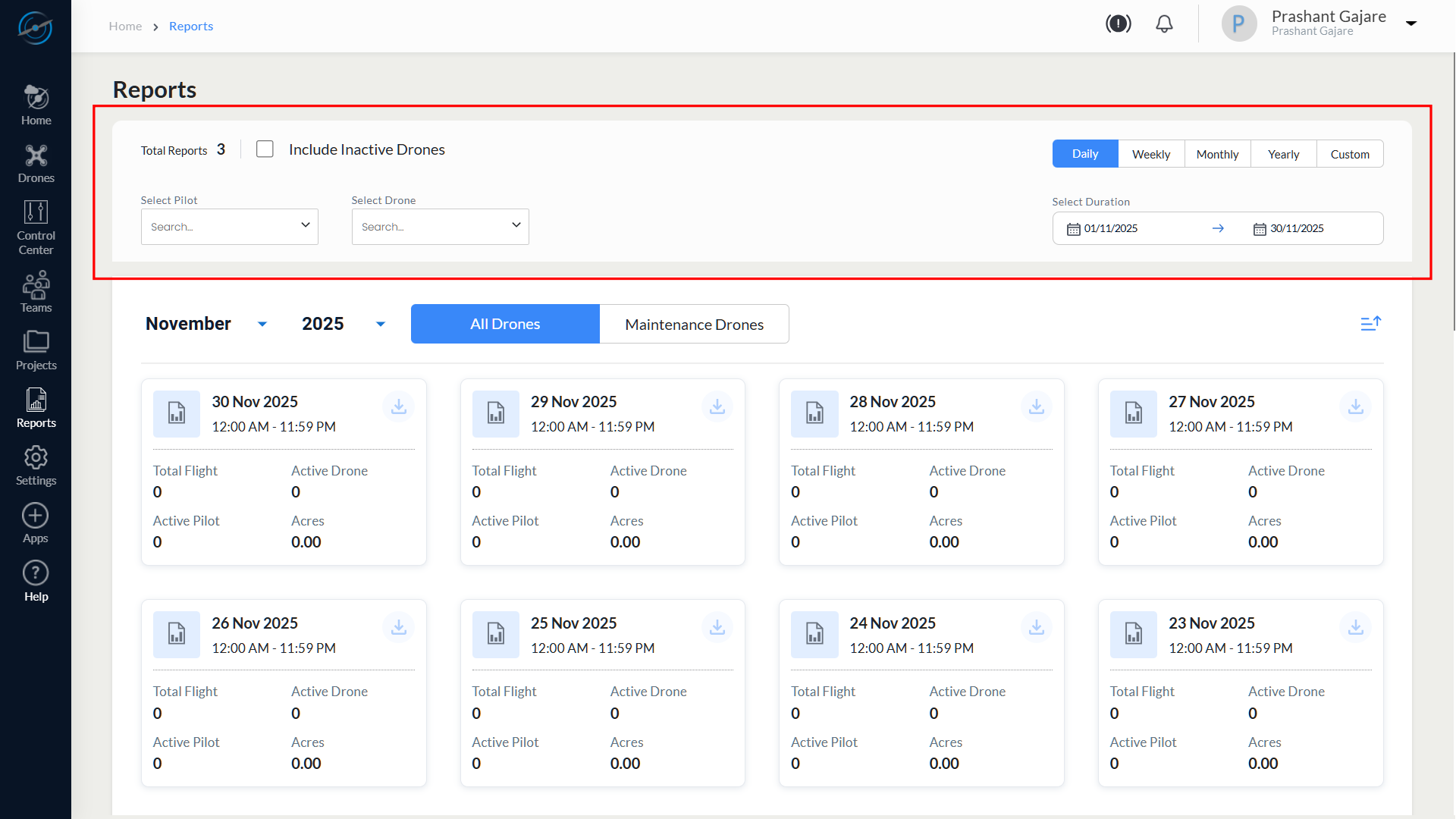
Note: Filter changes are applied immediately to the displayed reports.
10.3.2 Duration and View Selection
The following reporting durations are supported:
- Daily
- Weekly
- Monthly
- Yearly
- Custom
When Custom is selected, date pickers are displayed to define a specific start and end date.
All duration views use the same report card layout. Only the data aggregation period changes based on the selected duration.
10.4 Drone Scope Selection
Users can select the scope of drones included in reports using the following tabs:
- All Drones
- Maintenance Drones
All Drones
Displays report data for all drones, including active and inactive drones, based on the selected filters.
Maintenance Drones
Displays report data only for drones that are currently marked as In Maintenance Mode at the time of report generation.
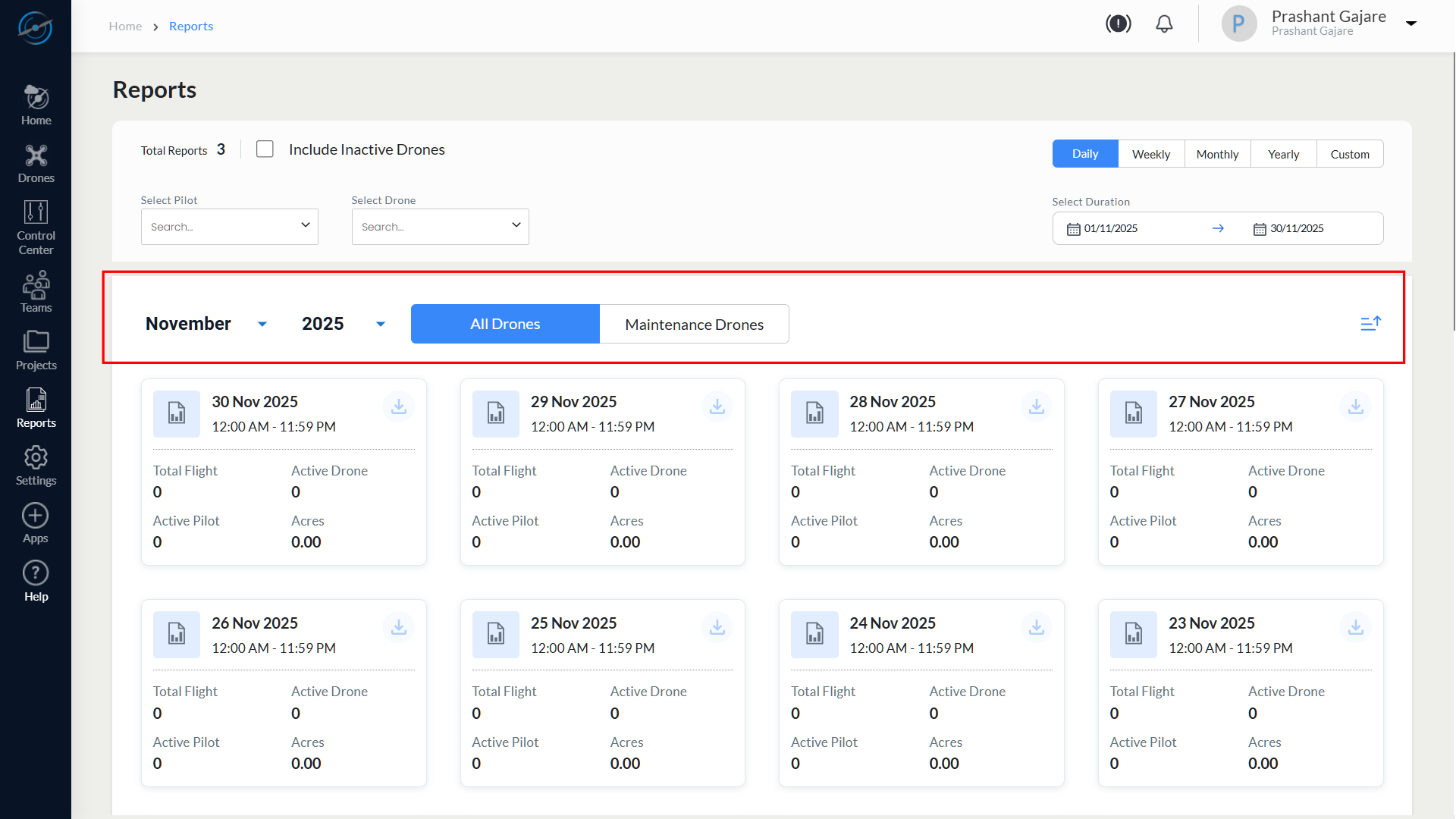
This separation helps distinguish operational activity from maintenance-related downtime.
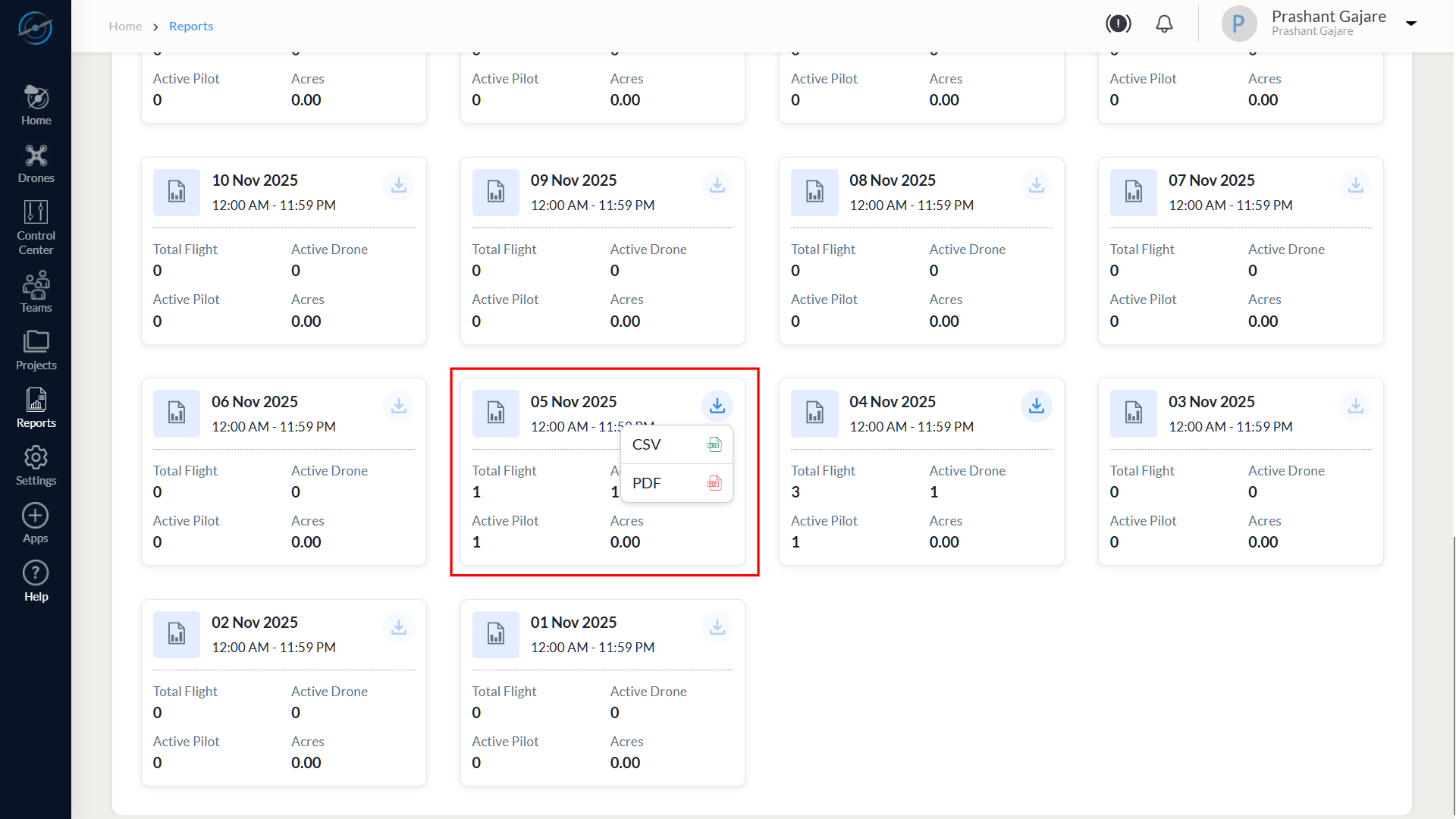
10.5.1 Report Card Fields
| Field | Description |
| Date | Reporting date or aggregated period |
| Total Flight | Total number of flights completed |
| Active Drone | Number of drones active during the period |
| Active Pilot | Number of pilots involved |
| Acres | Total area covered during operations |
10.6 Downloading Reports
Each report card includes a Download option.
To download a report:
- Select the Download icon on the required report card.
- Choose the desired file format:
- CSV
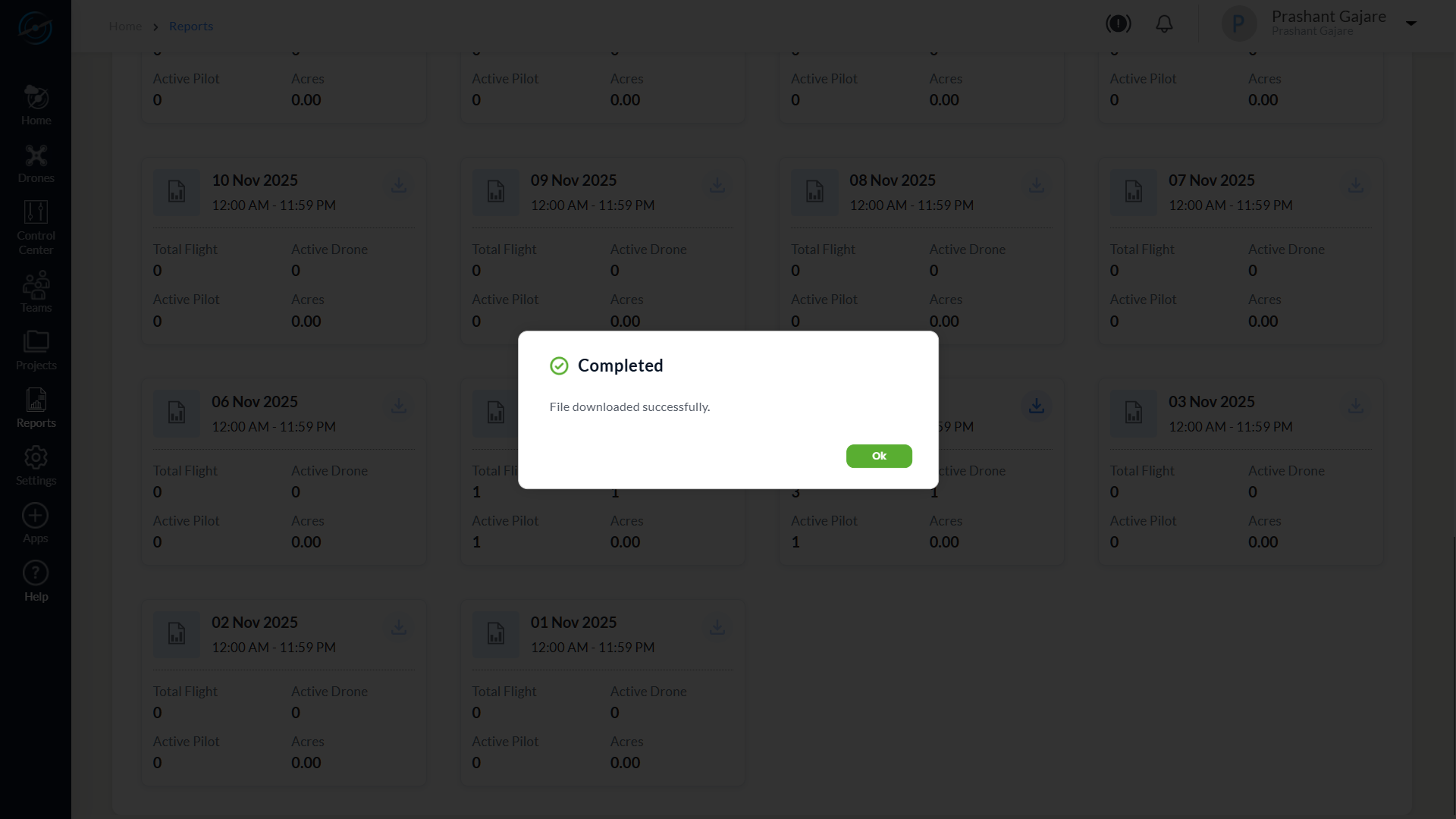
After the download is completed, the system displays the following message:
Completed
File downloaded successfully.
Select OK to close the dialog.
10.7 Interpreting Reports
Reports provide summarised operational insights and can be used to:
- Identify activity and inactivity trends
- Monitor pilot and drone utilisation
- Assess operational coverage efficiency
- Compare operational and maintenance periods
For detailed flight telemetry, mission replay, and diagnostics, refer to Drone Details and Flight Logs in Chapter 6 – Drones.
10.8 Best Practices
Follow these best practices when using the Reports module:
- Use Monthly or Yearly views for long-term trend analysis.
- Apply Pilot and Drone filters to isolate specific operational metrics.
- Include inactive drones when generating audit or compliance reports.
- Export reports in PDF format for official documentation.
- Use CSV exports for advanced analysis in external tools.
- Cross-reference reports with Health Reports and Drone Details for validation.
10.9 Summary
The Reports module in AeroGCS Enterprise provides a unified and flexible reporting interface for analysing drone operations across time periods.
By replacing the earlier Weekly Reports feature, it delivers:
- Multi-duration operational visibility
- Clear separation of operational and maintenance data
- Flexible filtering and export options
- Improved support for audits and performance reviews